
Start with Five Automations for Travel Agency Owners
Practical rollout plan for travel agency automation. Start with five priority automations, run a three stage pilot, and review a TimesHunters white label...

Start with five automations, in this order: lead capture and triage, automated quoting, booking confirmation and ticketing, payment reminders, and post-booking follow-up. Deploy them as a phased Tech-as-a-Service layer over your existing systems, not a rip-and-replace overhaul. Agencies that follow this sequence typically see faster conversion and lower admin load within weeks, and platforms like TimesHunters already build several of these steps into their booking management by default.
TL;DR:
- Automating lead capture and triage through direct CRM integration significantly reduces response time and prevent missed inquiries during busy periods.
- Implementing templated quoting, confirmation, and payment automation leads to faster transaction cycles and lower days sales outstanding.
- Rolling out automations gradually, starting with a pilot on slow segments, minimizes risks and allows staff to adapt effectively.
- Tracking operational and financial KPIs such as response SLA and revenue per booking helps measure automation success over a four to eight-week period.
- Using a unified messaging layer and shared client records ensures consistent communication across multiple channels, building trust and reducing errors.
Table of Contents
- Essential automations to implement first
- What software categories and integrations do you actually need?
- How should you roll out automation without breaking your operation?
- What KPIs actually prove automation is working?
- How TimesHunters automates booking management for partners
- How do you automate personalised marketing without losing the personal touch?
- Can you automate visa and travel advisory compliance?
- How do you keep messaging consistent across every channel?
- How do you get staff to actually use the new tools?
- What should your automated reporting dashboard actually show you?
- Author perspective: quick lessons from agency automation projects
- TimesHunters: a white-label option worth a closer look
- Sources
Essential automations to implement first
Get these five right and the rest of your operation gets easier by default. Each one attacks a specific bottleneck that costs agencies bookings, cash flow, or staff hours every single week.
- Lead capture and triage. Web forms, WhatsApp, and chatbot widgets route new enquiries straight into your pipeline instead of an inbox nobody checks until Monday. Small agencies benefit most here, because a solo owner cannot answer every message within minutes, and speed of first response is what separates a booking from a browser who moved on. Implementation tip: connect your enquiry form directly to your CRM rather than a shared inbox, so nothing gets missed during busy weeks.
- Automated itineraries and quoting. Templated documents pull client preferences, pricing, and supplier details into a proposal in minutes rather than hours. This suits agents handling multiple destinations at once, where rebuilding a PDF from scratch for every enquiry eats the morning.
- Booking confirmations and ticketing. Rule-based tasks inside your GDS or booking API handle confirmations, e-ticket issuance, and status updates without a human re-typing reference numbers. This matters most for agencies running volume through consolidators or BSP settlement, where manual ticketing errors are expensive to fix.
- Payment reminders and invoicing. Automated reminders and invoice generation shrink days sales outstanding, because clients pay faster when a nudge lands on schedule rather than when someone remembers to chase.
- Supplier updates, refunds, and reissues. Queue automation flags refund and reissue requests as they land, rather than letting them stack up in a shared BSP queue until someone has a spare hour.
- Post-trip follow-up and upsell. Review requests and next-trip offers go out automatically once a client returns, keeping the relationship warm without anyone having to remember to email.
Pro Tip: Build your itinerary templates once, properly, with variable fields for names, dates, and pricing. That single upfront effort is what makes automated quoting actually fast later, rather than just automated-looking.
What software categories and integrations do you actually need?
Five categories cover almost everything: a travel CRM, a booking engine or CRS, a GDS automation layer, a messaging or chatbot platform, and payments/invoicing software that syncs with your accounting system. Buying tools in the wrong order is the most common mistake agencies make, usually a flashy chatbot before a working CRM exists to feed it data.
Before signing anything, confirm the integration basics are covered:
- A single client record that every tool writes to and reads from, so a booking made by phone shows up the same as one made online.
- A live booking status feed, so confirmations, changes, and cancellations update automatically rather than through manual re-entry.
- Automated ledger entries that post to your accounting software the moment a payment clears.
- Open webhook or API access, so new tools can plug in later without a rebuild.
When comparing vendors, check third-party reviews on sites like Trustpilot or Capterra as part of due diligence, alongside a sandbox trial. A vendor that will not let you test integrations before you commit is a warning sign, not a formality. Run a small proof of concept with real data for two to three weeks before signing a longer contract. Dedicated travel CRMs built specifically for the industry, rather than generic sales CRMs bent into shape, tend to handle multi-supplier bookings and commission tracking far more cleanly.
How should you roll out automation without breaking your operation?
A three-stage rollout keeps risk low and shows results early enough to justify the next stage.
- Audit (week one). Map every repetitive task your team does weekly and note who owns each piece of data. This step alone often reveals that three people are manually updating the same spreadsheet.
- Pilot (weeks two to five). Choose one automation, usually enquiry capture feeding into your CRM pipeline, and run it for two to four weeks before touching anything else.
- Scale (month two onwards). Once the pilot proves stable, add quoting and messaging automation, then move to finance and ticketing automation once your integrations are validated end to end.
Modern platforms are typically built to sit on top of existing GDS and CRM infrastructure rather than force a full replacement, which is what makes phased deployment realistic instead of theoretical.
The most common pitfalls are over-automating too fast, feeding bad data into a new system, and skipping staff training because “it’s just software.” Test every automation with real bookings before switching off the manual process it replaces, and keep one team member as a fallback checkpoint during the first month.
Pro Tip: Run your pilot on your quietest booking segment first, not your busiest. You want to catch mistakes when they cost you an afternoon, not a peak-season weekend.
What KPIs actually prove automation is working?
Track a mix of operational and financial numbers, not just “does it feel faster.”
- Operational: average handling time per enquiry, response SLA, and lead-to-booking conversion rate.
- Financial: commission per booking, days sales outstanding, and revenue per agent.
A conservative example: an agency saving four hours a week on quoting and confirmations, at an effective cost of £20 an hour, saves roughly £320 a month in staff time alone, before counting the extra bookings closed because responses went out faster. Measure your pilot over four to eight weeks. That is long enough to see a real pattern without waiting a full quarter to find out something isn’t working. The American Society of Travel Advisors recommends benchmarking response SLA and conversion rate specifically, since those two numbers move fastest once automation kicks in.
How TimesHunters automates booking management for partners
TimesHunters runs a white-label model: partners launch a branded travel business under their own name, using ATOL-protected licences, with automated booking management and managed payments handled behind the scenes. The platform provides partners with a branded booking site and instant pricing proposals, covering some of the priority automations outlined above.
One partner reported income rising significantly per booking after moving onto the platform, attributing this to the commission structure compared with the typical low percentage of online travel agencies.
That commission gap is the detail worth sitting with. Automating quoting and confirmations saves time either way, but the platform you run them through decides whether that saved time actually shows up in your bank account or gets absorbed by a thin margin.
How do you automate personalised marketing without losing the personal touch?
Segmentation is what makes automated marketing feel personal instead of generic. Split your client list by trip type, budget band, and past destinations, then let automated campaigns trigger based on those groups rather than blasting the same offer to everyone.
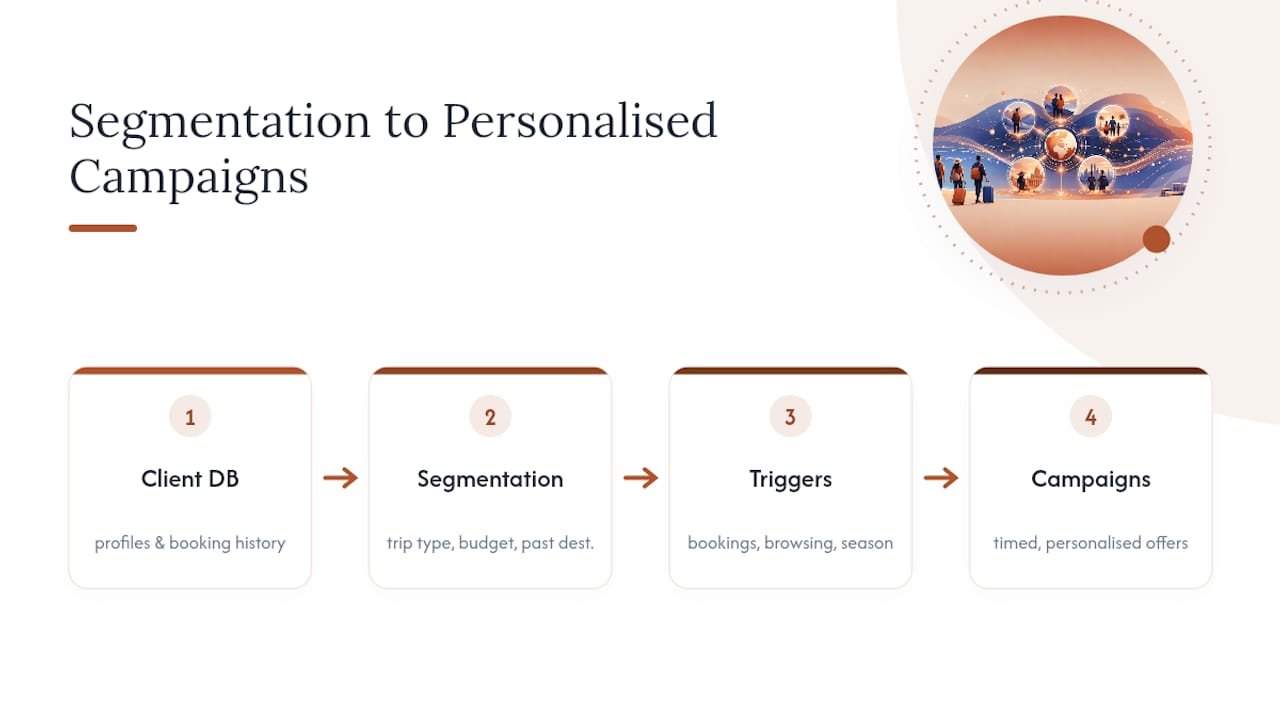
A client who booked a family beach holiday last year should not receive the same email as a couple who booked a honeymoon in the Maldives. Automated triggers based on past bookings, browsing behaviour on your site, or even the season can send a cruise offer to past cruise clients and a ski deal to clients who booked skiing two winters running. This is where natural language processing and machine learning are increasingly used, powering the recommendation logic behind automated conversational tools that suggest relevant offers based on a client’s enquiry history rather than generic pattern matching.
Timing matters as much as targeting. Automated campaigns tied to anniversaries of a past trip, or sent six to eight weeks before a typical booking window for a given destination, convert better than random newsletter blasts. Build three or four client segments to start rather than a dozen. Over-segmentation just means more campaigns to manage and less time to refine any single one.
Can you automate visa and travel advisory compliance?
Partially, and it is worth being precise about where automation helps and where a human still needs to check the details. Automated systems can flag which destinations require a visa for a given passport nationality, pull current travel advisory levels, and attach the right documentation checklist to a booking automatically once destination and nationality are entered.
What automation should not do is make the final call on complex cases, dual nationality, layover visa rules, or countries with advisories that change weekly. Set your system to flag anything outside the standard cases for manual review rather than auto-approving everything.
Build compliance checks into your booking workflow at the quoting stage, not after payment. A client who discovers a visa requirement after booking is a client who blames your agency for not telling them sooner, even when the fault sits elsewhere. Automated reminders sent 90, 60, and 30 days before departure, prompting clients to check passport validity and visa status, cut down on last-minute departure crises significantly. Keep your advisory data source current. A compliance automation running on outdated travel advisory information is worse than no automation at all, because it gives false confidence.
How do you keep messaging consistent across every channel?
Clients now contact agencies through email, WhatsApp, SMS, live chat, and social media, often switching between two or three of those for the same booking. Multi-channel synchronisation means every one of those channels writes back to the same client record, so an agent picking up a WhatsApp thread can see the email sent yesterday.
Without that synchronisation, you get the scenario every agency dreads: a client asks a question on WhatsApp, gets no answer for a day, then emails the same question and receives a different answer from a different agent. That inconsistency damages trust faster than slow response times do.
The fix is routing every channel through one messaging automation layer that logs to the single client record described earlier in the integration checklist. Conversational tools that summarise a client’s history across channels, in the way enterprise assistants like Microsoft Copilot demonstrate for customer-facing summarisation, give agents the full picture before they reply, rather than starting from scratch each time. Set one rule firmly: whichever channel a client used last is the one your team replies through, unless the client explicitly asks to switch. Bouncing a client between channels to suit your workflow, rather than theirs, is a fast way to lose the booking.
How do you get staff to actually use the new tools?
Staff resistance kills more automation projects than bad software does. The fix starts with framing: automation removes the repetitive parts of a job, not the job itself, and agents who spend less time re-typing confirmation numbers get more time for the client conversations that actually close sales.
Run training in short, task-specific sessions rather than one long system overview. An agent learning to use automated quoting needs a 20-minute walkthrough on that one feature, not a two-hour tour of the entire platform. Pair each new starter with someone who has already run the tool for a few weeks, since peer demonstration tends to stick better than a manual.

Give staff a manual fallback for the first fortnight of any rollout. Confidence in a new system builds faster when people know they are not stranded if something breaks mid-booking. Collect feedback actively during the pilot phase covered earlier, because the person actually using a tool daily will spot friction points a manager reviewing dashboards never sees.
What should your automated reporting dashboard actually show you?
A dashboard earns its place only if it answers a question you would otherwise have to chase down manually. For most agencies, that means live views of booking volume by agent, conversion rate by lead source, average response time, and outstanding payments by client.
Set dashboards to update automatically from your booking and CRM data rather than requiring someone to compile a weekly report by hand, which defeats the purpose of automating anything else. A dashboard that still needs a spreadsheet behind it is not actually automated reporting.
Focus on trends over single snapshots. One slow week means little; three consecutive slow weeks in response time tells you something in your triage process broke, and that is the kind of pattern a properly configured dashboard surfaces before a client complaint does.
Author perspective: quick lessons from agency automation projects
Protect margins first, automate enquiry handling second, and measure everything from week one, not week eight. The shortcut most agencies miss: build one strong itinerary template and reuse it endlessly rather than starting quotes from a blank page every time. That single habit saves more hours than most software purchases do.
— Sam
TimesHunters: a white-label option worth a closer look
If you’ve read this far, you already know the sequence: capture leads fast, quote fast, get paid faster, and follow up without relying on memory. TimesHunters builds several of those pieces directly into its white-label platform, so instead of stitching together five separate tools, partners get a branded booking site, automated booking management, and managed payments running under their own name from day one, backed by ATOL-protected licences.
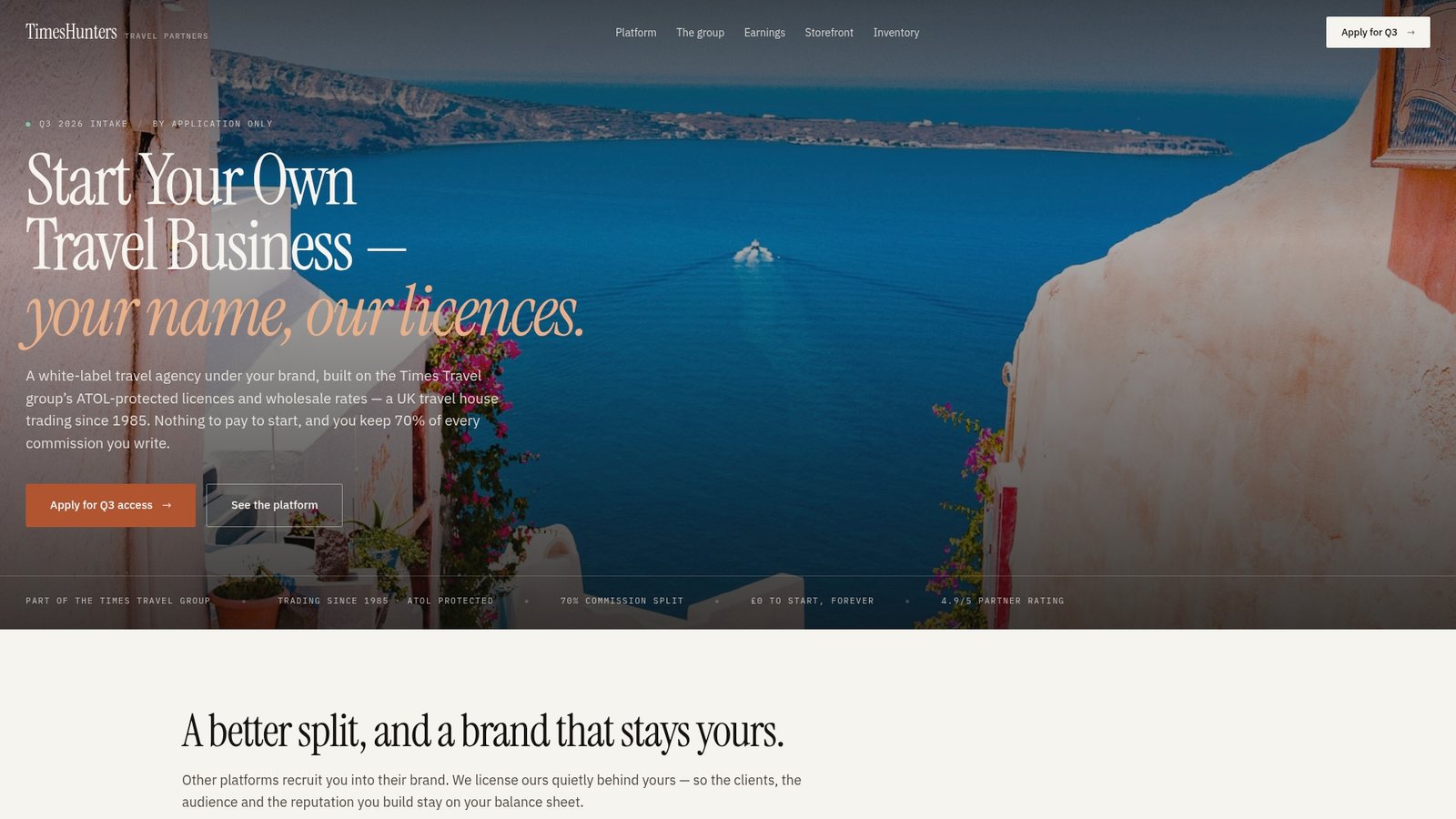
If you’re weighing up whether to build your own tech stack from scratch or launch on infrastructure that already does this, book a demo or request pricing through TimesHunters and see how the numbers stack up against your current setup.
Sources
For deeper background, see ASTA’s industry research, the Wikipedia overview of AI techniques used in travel automation, and this practical award booking workflow guide from Frequent Flyer.