
Automated Client Follow Up: 2 or 3 Messages for UK Small Firms
Automate client follow up with ready to use sequences, a two or three message cadence, UK compliance steps, and a white label travel example.

The most effective automated follow-up is simple: an instant acknowledgement the moment someone makes contact, followed by a short, timed sequence of two or three personalised messages. This pairing works because speed captures attention while the later messages add the relevance that speed alone cannot. The rest of this guide gives you copy-ready sequences, setup steps and the compliance rules that keep automation lawful.
TL;DR:
- A new lead gets an email after 24 hours, a check in on day five, then one useful message around day ten before outreach pauses.
- Use email for detailed sales or booking information, SMS for urgent reminders, and automated calls only when prior permission covers them.
- Track replies alongside bookings or conversions, since a sequence that raises short term responses may still fail to produce downstream business.
- For UK marketing emails and texts, obtain consent unless the existing customer soft opt in applies; automated prerecorded calls require permission first.
- Route questions, complaints, and unanticipated replies to a person, and pass along the full conversation so clients do not have to repeat themselves.
Table of Contents
- Why automate client follow-up now: benefits and research evidence
- Key features a small business should require from an automated follow-up system
- Practical sequences and templates you can copy
- How to integrate automations with your CRM, calendar and booking systems
- Channels and timing: choosing email, SMS, phone or calendar nudges
- Measure and optimise: KPIs, A/B tests and a simple monthly cadence
- UK compliance essentials: consent, PECR and suppression lists
- A practical example: automating confirmations for a white-label travel business
- Balance automation with the human touch
- How TimesHunters helps advisors automate confirmations, reminders and upsells
- FAQ
- Sources
Why automate client follow-up now: benefits and research evidence
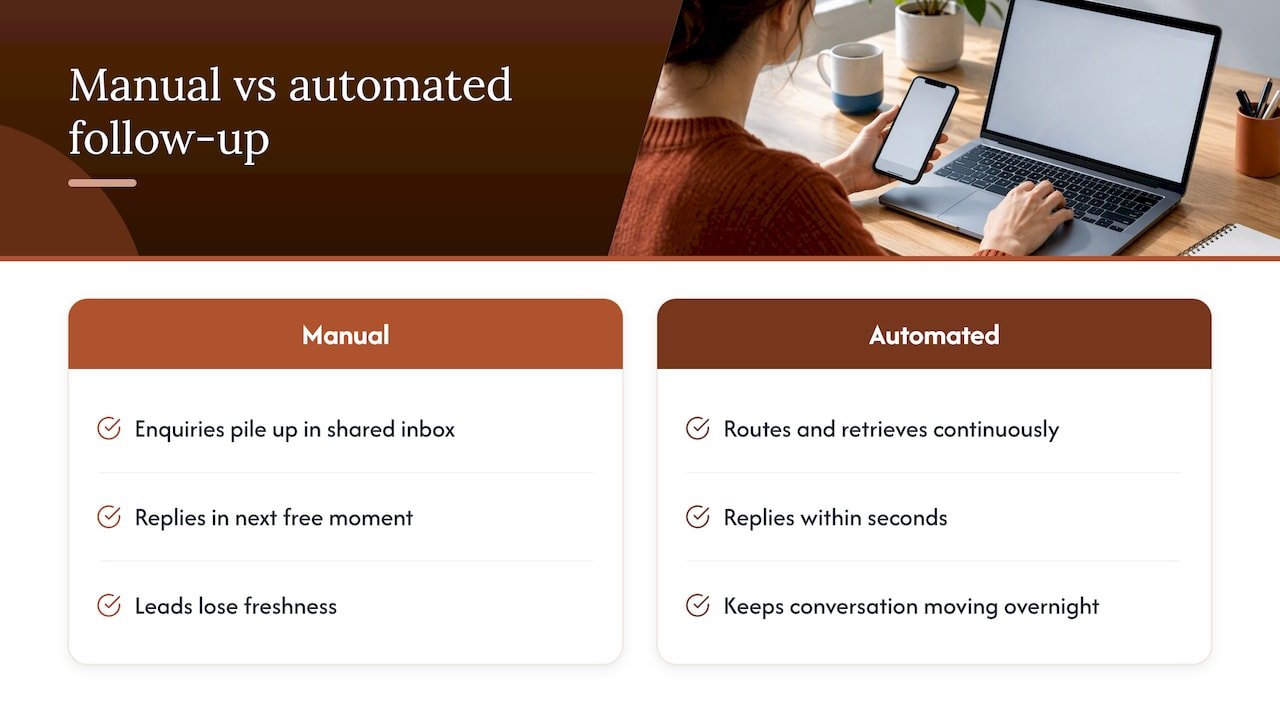
Automated follow-up closes the gap between when someone shows interest and when you actually respond. That gap is where most business gets lost. A well-built system replies within seconds, keeps the conversation moving while you sleep, and catches people who would otherwise drift to a competitor because nobody got back to them in time.
The business case rests on more than convenience. Contacting an inbound lead within an hour significantly increases the likelihood of qualifying that lead compared with waiting longer periods, with the advantage growing the longer the lead sits untouched, according to lead response-time research. That gap only widens the longer a lead sits untouched.
The deeper issue is rarely motivation. Staff are not slow because they are careless. They are slow because enquiries pile up in a shared inbox, get batched into the next free moment, and lose their freshness. As one analysis of lead response operations puts it, sluggish follow-up usually reflects a distribution problem, not an effort problem. Automation fixes the structural issue: it routes and retrieves continuously instead of waiting for someone to check a list. That single change, more than any pep talk about “following up faster”, is what actually shortens response times.
Key features a small business should require from an automated follow-up system
Before you commit to a tool or build a workflow, check it against a short list of requirements. Skipping any one of these tends to create gaps that show up later as missed leads or annoyed clients.
- Trigger coverage: the system should fire on form submissions, new bookings, completed payments and periods of inactivity, not just one event type.
- Personalisation fields: names, dates, product or service details and past interactions should populate automatically rather than being hard-coded.
- Multi-channel delivery: email, SMS and, where appropriate, phone reminders should sit in the same workflow with conditional branching between them.
- CRM integration: contact records, suppression lists and unsubscribe status need to sync both ways so nobody gets messaged after opting out.
- Scheduling and retries: messages should queue at sensible times, retry on failed sends, and escalate to a human when a reply needs judgement.
- Reporting: even a simple view of sent, opened and replied counts tells you whether a sequence is working.
Pro Tip: Start with one trigger, perfect the message and timing, then add the next trigger rather than building five sequences at once.
Tools like Zapier or Make can connect form tools, CRMs and messaging platforms without custom code, which makes this checklist achievable even for a one-person operation. The point is not to buy the most feature-dense platform you can find. It is to make sure whatever you use covers triggers, personalisation, channels, CRM sync and escalation, because missing any one of these tends to surface as a client complaint rather than a line in a spreadsheet.
Practical sequences and templates you can copy
Three sequences cover most small-business scenarios. Each one follows the same logic: acknowledge immediately, add value quickly, and stop before you become noise.
- New lead sequence: instant email or SMS acknowledgement within minutes, a personalised follow-up email at 24 hours, and a final check-in by day 5 if there has been no reply.
- No-response nurture: after the day 5 check-in, send one more value-led message (a tip, an offer or relevant information) around day 10, then pause outreach unless the contact re-engages.
- Booking confirmation sequence: immediate confirmation on payment, a reminder 48 hours before the service or appointment, and a short thank-you or review request afterwards.
Two email templates cover the first two steps of most sequences:
- First reply: “Thanks for reaching out, [Name]. We’ve received your enquiry about [Service] and someone will follow up with specific options within one business day.”
- Follow-up: “Hi [Name], following up on your enquiry about [Service]. Here’s a quick option that fits what you described: [Detail]. Keen to help if you have questions.”
Two SMS templates handle the faster-moving channel:
- Instant reply: “Hi [Name], thanks for your message, we’ll be in touch shortly with details on [Service].”
- Reminder: “Reminder: your [appointment/booking] is on [Date] at [Time]. Reply STOP to opt out of reminders.”
Escalate to a human whenever a reply contains a question, a complaint or anything the automation was not built to answer. Pass along the full thread rather than a summary, so the agent picking it up can see exactly what was asked and promised, which avoids the frustrating experience of a client repeating themselves.
How to integrate automations with your CRM, calendar and booking systems
Treat the data flow as a simple chain: capture, store, trigger, message, task. A new enquiry gets stored as a contact record, that record triggers the first message, and if a human step is needed, a task appears on someone’s calendar automatically.
Three integration routes handle most small-business setups:
- Native connectors: many CRMs and booking tools (HubSpot, Calendly, Square Appointments) offer built-in automation triggers with no extra tools required.
- No-code platforms: Zapier or Make connect tools that do not talk to each other natively, using simple trigger-and-action rules.
- Webhooks and APIs: for anything more custom, a developer can wire direct connections between your booking system and your messaging platform.
Before going live, confirm your contact fields capture at least name, email or phone number, service or product interest, and consent status. Build the suppression list into the CRM from day one rather than retrofitting it later, and run a test batch with a handful of real contacts before switching the sequence on for everyone.
Pro Tip: Send yourself a test enquiry through every channel in the sequence before launch, so you catch broken merge fields or missing steps before a client does.
Channels and timing: choosing email, SMS, phone or calendar nudges
Each channel suits a different moment. Email handles detail and is cheap to automate at scale. SMS gets opened fast and suits time-sensitive reminders, but costs more per message and carries stricter consent expectations. Automated phone calls work for urgent notices but need prior permission before you use them. Push and in-app notifications are useful for the few businesses with their own app.
- Sales lead: instant email, with SMS as a backup if no reply within an hour.
- Booking confirmation: email for the full confirmation, SMS for a short reminder closer to the date.
- Payment reminder: email first, SMS follow-up only if payment is still outstanding after a few days.
Aim for initial contact within an hour wherever possible, given how sharply qualification odds fall after that window. For the messages that follow, spread reminders over 7 to 14 days rather than compressing them, so each one still feels like useful contact rather than pressure.
Measure and optimise: KPIs, A/B tests and a simple monthly cadence
A handful of metrics tell you whether a sequence is earning its place: response rate, reply rate, conversion or bookings generated, unsubscribe rate, and time-to-conversion. When testing sequences, measuring both short-term reply rates and downstream conversion matters, according to Harvard Business School Online, since optimising for quick replies alone can miss whether those replies actually turn into bookings.
Run A/B tests on one variable at a time:
- Subject line: test a question versus a direct statement.
- Send time: compare morning versus afternoon delivery.
- Personalisation depth: test a name-only greeting against one referencing the specific enquiry.
Give each test at least two weeks or enough volume to see a clear difference, then review results monthly alongside the core metrics above.
UK compliance essentials: consent, PECR and suppression lists
Automated follow-up still has to follow the same rules as any other form of marketing contact. Under the Privacy and Electronic Communications Regulations, covered in Gov, electronic mail marketing generally needs consent, though a “soft opt-in” can apply when you are messaging an existing customer about similar products or services, as set out in PECR regulation 22.
Automated or pre-recorded phone calls sit under stricter rules: if you want to make automated calls with pre-recorded messages, you must get the individual’s or business’s permission first, according to GOV.UK. Build that consent check into the workflow before any automated call feature goes live, never after.
Three operational habits keep you compliant:
- Record consent clearly at the point of capture, noting what the contact agreed to and when.
- Maintain a suppression list that syncs across every channel, so an opt-out in one place removes the contact everywhere.
- Check supplier contracts for any third-party tool sending messages on your behalf, confirming they meet the same standards.
The ICO’s guidance on electronic and telephone marketing sets out these obligations in more detail, including the expectation to act promptly on opt-out requests.
Pro Tip: Build your unsubscribe and suppression logic before you write a single message, not after your first campaign goes out.
A practical example: automating confirmations for a white-label travel business
Booking-driven businesses are a natural fit for this kind of automation, since every booking already generates a predictable set of follow-up moments: confirmation, a pre-trip reminder, a payment chase if needed, and a post-trip upsell or review request.
For a white-label travel partner working under TimesHunters’ ATOL-protected licences, several of these steps come built into the platform rather than needing to be assembled from scratch.
- Booking confirmations send automatically once payment clears, under the partner’s own brand.
- Payment reminders go out on a schedule tied to balance due dates, reducing the manual chasing that eats into an agent’s week.
- Post-booking upsells, such as extras or add-ons, can be triggered after confirmation while the client is still planning.
What the partner controls is the tone of the messages and which upsell rules apply to their client base; what the infrastructure handles is the delivery, scheduling and payment tracking behind each one. For an agent starting out, turning on booking confirmations first and layering in reminders afterwards is the sequence most likely to save time without overwhelming the client with messages. The booking confirmation automation page walks through how this looks in practice.
Balance automation with the human touch
Automate the predictable: acknowledgements, confirmations, reminders. Keep a human on anything involving a complaint, a complex request or a decision with real money attached. The pattern that works best is automation handling the first response and the routine updates, while a person steps in the moment a reply needs judgement rather than a template.
One shift that consistently improves outcomes is simply making sure the handover is seamless: the agent picking up a conversation should see the full history, not a blank inbox. Clients notice when they have to repeat themselves, and they notice when they don’t.
— Sam
How TimesHunters helps advisors automate confirmations, reminders and upsells
Running a travel business without automated follow-up means manually chasing every balance payment and typing out every confirmation by hand. We built our platform so booking confirmations, payment reminders and post-booking follow-ups run automatically under your own brand, while you keep the client relationship and the commission split.
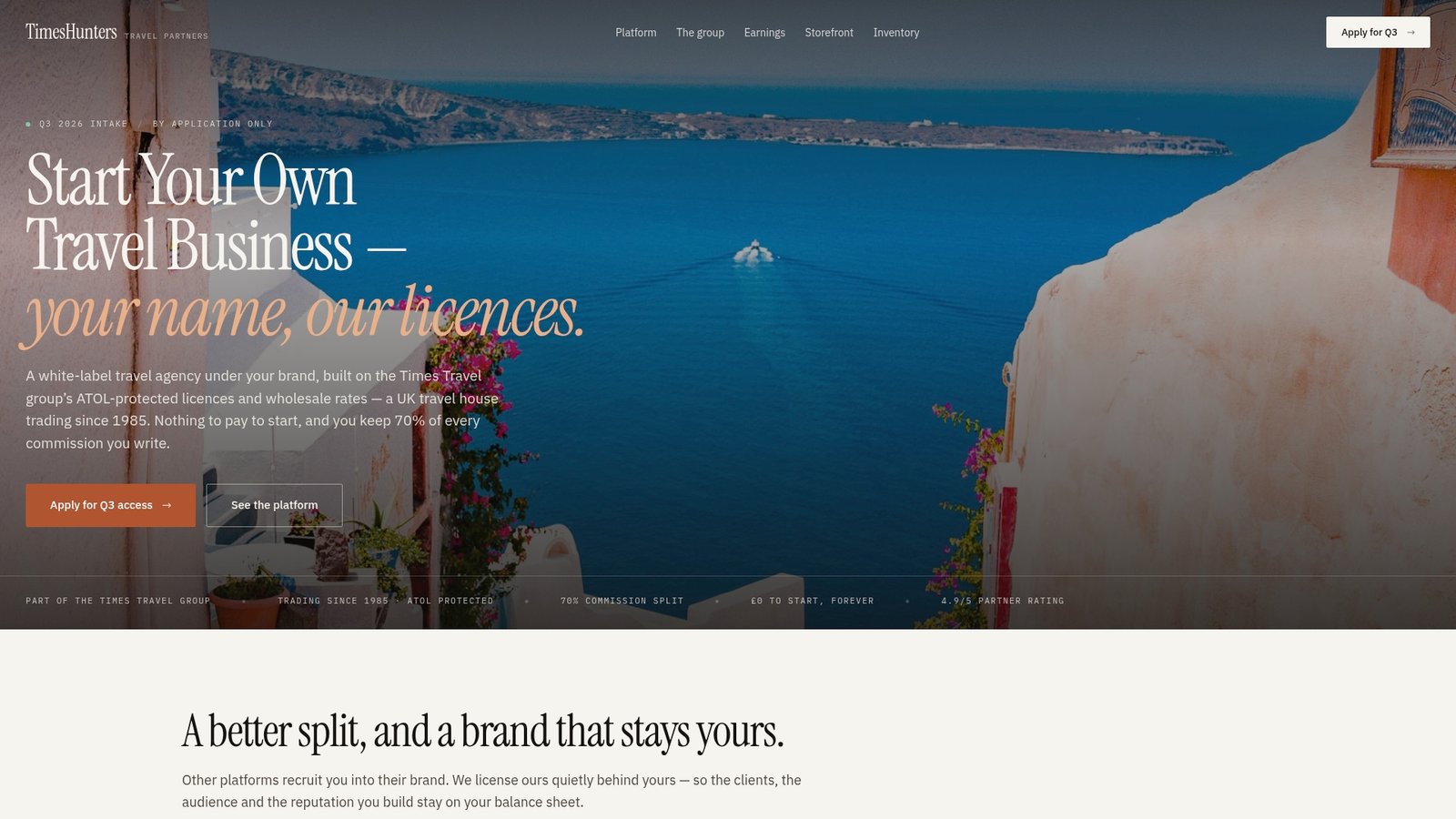
Partners earn commission on bookings they make through TimesHunters, with wholesale access to hotels, cruises and tours backed by ATOL protection, so the admin runs in the background while you focus on clients. If you want to see how the confirmation and reminder automations work in practice, visit our booking confirmation automation page or get in touch to see the platform for yourself.
FAQ
How do I write a follow-up message?
Open by acknowledging the specific thing the person asked about, add one useful detail or next step, and close with a clear way to reply. Keep it short: a brief message that is easy to read fully.
What is automated customer support?
Automated customer support uses pre-built workflows, such as instant replies, scheduled reminders and chatbots, to handle routine enquiries without a person typing each response. It works best for predictable questions and handovers smoothly to a human for anything more complex.
Is it possible to set up an automated response for an email?
Yes, most email platforms and CRMs let you trigger an automatic reply the moment a message arrives, often using the same rules engine that powers your wider follow-up sequence. Pair it with a CRM so the reply also creates a task for a human follow-up when needed.
How do I follow up with a client without being pushy?
Space messages out over days rather than hours, and make each one add something new, a detail, an offer or useful information, rather than repeating the same ask. Always give a clear, easy way to opt out, which paradoxically makes people more comfortable staying in touch.
Sources
- Lead response time research (lead management resource)
- LeadAngel blog: operations and lead response time
- Gov