Booking Confirmation Automation in Weeks for Travel & Hospitality Teams
Set up booking confirmation automation in weeks: templates, triggers, fallbacks, tests, KPIs, plus a managed option to avoid long setups.
Booking confirmation automation sends the right message, to the right guest and the right member of staff, the moment a booking is made, changed, or cancelled. It replaces manual copy-and-paste emails with instant, template confirmations across email, SMS, or chat, and it updates internal calendars at the same time. The payoff is fewer errors, faster replies, and staff freed up to actually deal with guests.
TL;DR:
- Automation systems must trigger confirmation messages for each booking event, including edits and cancellations, across multiple channels with fallback options.
- Templates should automatically populate with dynamic, booking-specific data and switch languages based on guest profiles to avoid errors.
- Internal updates, such as calendar and CRM entries, should always synchronize simultaneously with guest notifications to prevent operational mistakes.
- Testing should include failure scenarios like bounced messages and missing data, and the rollout should start small and expand gradually to minimize disruptions.
- Using a managed platform can save setup time and ensure integrated booking, communication, and rate management, especially for small or non-technical operators.
Table of Contents
- How does booking confirmation automation work?
- Key features to include when you choose or build an automation
- Implementation checklist: how to set up booking confirmation automation
- Common pitfalls and how to avoid them
- Measuring success: which KPIs actually matter?
- What managed automation actually looks like in practice
- A managed route worth considering
- Sources
- FAQ
How does booking confirmation automation work?
At its core, the system watches for an event: a new booking, an amendment, or a cancellation. Each of these events triggers a specific action, either an instant send or a scheduled follow-up further down the line.
ServiceM8’s booking confirmation automation sends email and SMS the moment a booking is created from its app or booking window, though it flags an important caveat: drag-and-drop rescheduling doesn’t trigger the same automation, so some manual actions still need checking. That kind of trigger caveat matters more than most business owners expect, and it’s worth mapping out before you go live.
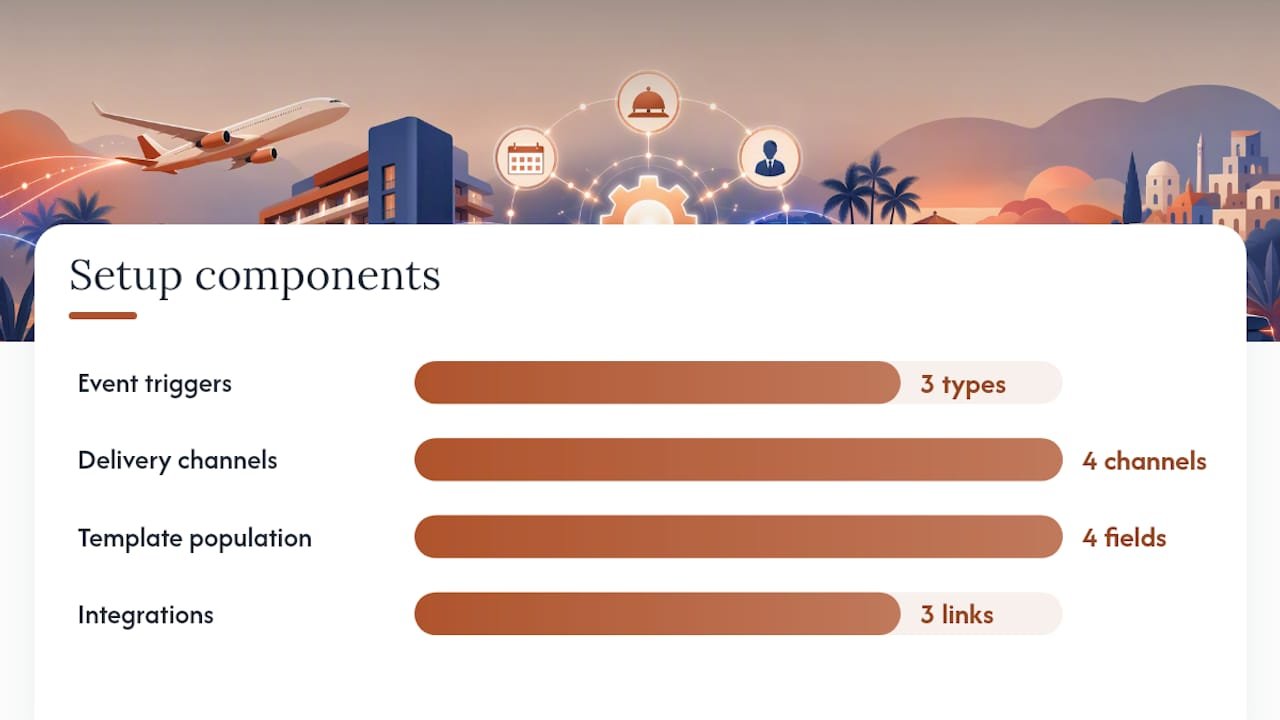
A working setup typically includes:
- Event triggers covering new bookings, edits, and cancellations, not just first confirmations
- Delivery channels spanning email, SMS, WhatsApp or chat, and internal staff alerts
- Template population with dynamic fields (name, dates, room type, price) and conditional content for different booking types
- Integrations linking your booking engine or PMS to calendars, CRM records, and webhook-based automation tools
Zapier’s AI-enhanced booking automations go a step further, drafting personalised confirmations and pushing real-time alerts to both guests and staff. AI drafting speeds up personalisation, but it needs guardrails. Left unchecked, it can introduce wrong dates or room details into a confirmation nobody double-checks before it goes out.
Key features to include when you choose or build an automation
Not every automation tool does the same job well, and the gaps tend to show up exactly when you can’t afford them: a busy Saturday, a language mismatch, a guest whose phone number bounced.
- Personalisation and multilingual templates. Dynamic fields should pull booking details automatically, and templates should switch language based on the guest’s profile, not a manual selection.
- Multi-channel sends with fallback rules. If an SMS goes undelivered, the system should retry via email automatically rather than leaving a guest with no confirmation at all.
- Calendar and staff notifications. Every confirmation sent to a guest should trigger a parallel update to internal calendars, CRM records, and delivery receipts your team can audit.
- Attachments and one-click actions. Tickets, check-in instructions, and confirm-or-cancel links reduce the number of guests who ring up just to check something the email already answered.
NOBEDS documents this kind of template-driven, multi-channel approach, where branded confirmations auto-populate from the reservation record and extend naturally into pre-arrival reminders and payment requests. Rezdy’s automated communications for tours and activities work on the same principle, but the company is explicit that trigger and template choices need care, because a badly timed reminder or a template with the wrong date field causes more support calls than it prevents.
Pro Tip: Build your fallback rule before you launch, not after the first complaint. Decide now what happens when a text fails to deliver, so the system reacts automatically instead of a guest finding out on arrival day.
Implementation checklist: how to set up booking confirmation automation
Rolling out automation properly takes a few weeks of planning, not a weekend of clicking buttons. Rushing this stage is where most operators end up with duplicate messages or gaps nobody notices until a guest complains.
- Map every booking source and its data fields. List each channel (direct site, phone, OTA, walk-in) and note which fields (name, dates, party size, payment status) each one actually captures.
- Draft templates with dynamic fields. Write one template per booking type, then decide which channels and fallback rules apply to each.
- Configure triggers, internal sync, and calendar updates. Set new bookings, amendments, and cancellations as separate triggers, each pushing an update to your team’s calendar as well as the guest’s inbox.
- Test with sample bookings and failure scenarios. Run through a duplicate booking, a missing phone number, and a bounced email before any real guest sees the system.
- Stage the rollout. Start with one property or one channel, watch it for a week, then widen coverage.
- Monitor delivery, open rates, and support volume after launch. Compare support call numbers against the pre-automation baseline to see whether the system is actually reducing workload.
Before testing goes live, run through this quick checklist:
- Confirm every trigger fires from actual booking actions, not just from the booking window you tested in
- Check that fallback channels activate automatically, not manually
- Verify calendar and CRM updates arrive at the same time as the guest message
- Log every failed send somewhere your team actually checks
ServiceM8’s own documentation recommends simulating exactly these failure modes, missing numbers, duplicate entries, cancellations, and bounced emails, before opening the system to real traffic. A staged rollout with fallbacks tested in advance prevents the kind of live disruption that erodes guest trust fast.
Common pitfalls and how to avoid them
The biggest mistake isn’t a missing feature. It’s stitching together five different tools that were never designed to talk to each other.
- Avoid the “Frankenstein” setup. Bolting a booking engine to a separate SMS tool, a separate calendar app, and a separate CRM multiplies the places something can silently break.
- Keep templates current. A template written for standard rooms breaks down for group bookings, multi-night packages, or a second language your guests actually use.
- Give internal teams instant updates. ServiceM8’s own guidance is blunt about this: sending guest confirmations while staff calendars lag behind causes real operational errors, arrivals nobody prepared for, rooms nobody cleaned.
- Handle delivery failures properly. Build retries and fallbacks into the flow, and log every failure somewhere visible, not buried in a dashboard nobody opens.
Measuring success: which KPIs actually matter?
Delivery rate comes first: what percentage of confirmations actually land, by email and by SMS. After that, track open and click rates for email, and receipt confirmations for SMS, since a “sent” message and a “read” message are not the same thing.
Compare confirmations sent against bookings created, and watch how many guests use one-click confirm links versus needing a follow-up call. Customer-reported time savings from providers like Bookinghook suggest staff can reclaim several hours a week once manual confirmation work drops away, though results vary by property size and booking volume.
Give the system a test window of several weeks to a few months before judging it. Watch no-show rates, support contact volume, and upsell conversions across that period, since these downstream numbers often move slower than open rates but matter more to the bottom line.
What managed automation actually looks like in practice
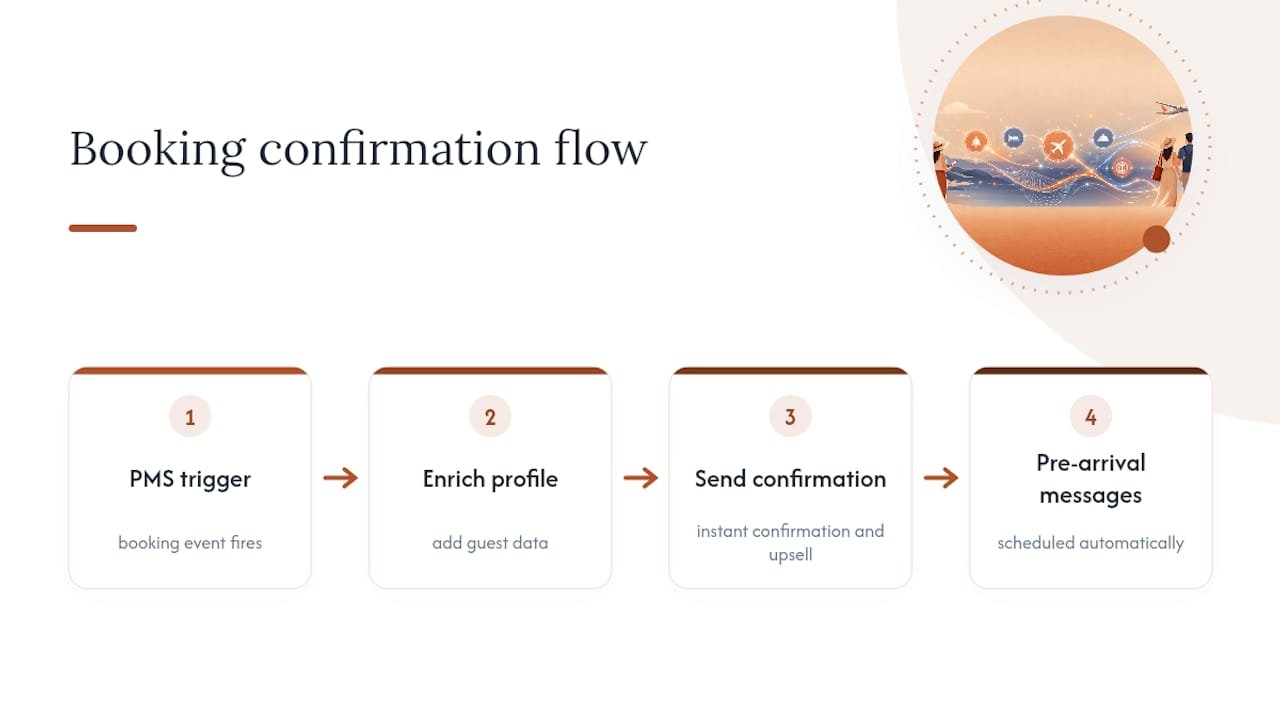
Booking confirmation automation works best when it’s built into the platform from the start, rather than added as an afterthought. Tergo Media’s booking confirmation flow is a useful example: a PMS trigger fires, the guest profile gets enriched, an instant confirmation goes out alongside an upsell sequence, and pre-arrival messages get scheduled automatically. That’s the shape a well-integrated flow should take.
For someone running a small operation without a technical team, building that stack from scratch is a real undertaking. A managed white-label platform, one where automated booking management, wholesale rates, and client follow-up already exist inside the same system, suits solo operators and small agencies better than a self-built patchwork of tools. Self-built automation makes more sense once you have the volume and the technical resource to maintain it properly. Either way, the operational burden of chasing confirmations manually doesn’t scale, and something has to absorb it.
— Sam
A managed route worth considering
An alternative to building your own automation stack from scratch is a managed platform that provides automated booking management, wholesale hotel, cruise, and tour rates, and a branded booking site working together under an ATOL-protected licence.
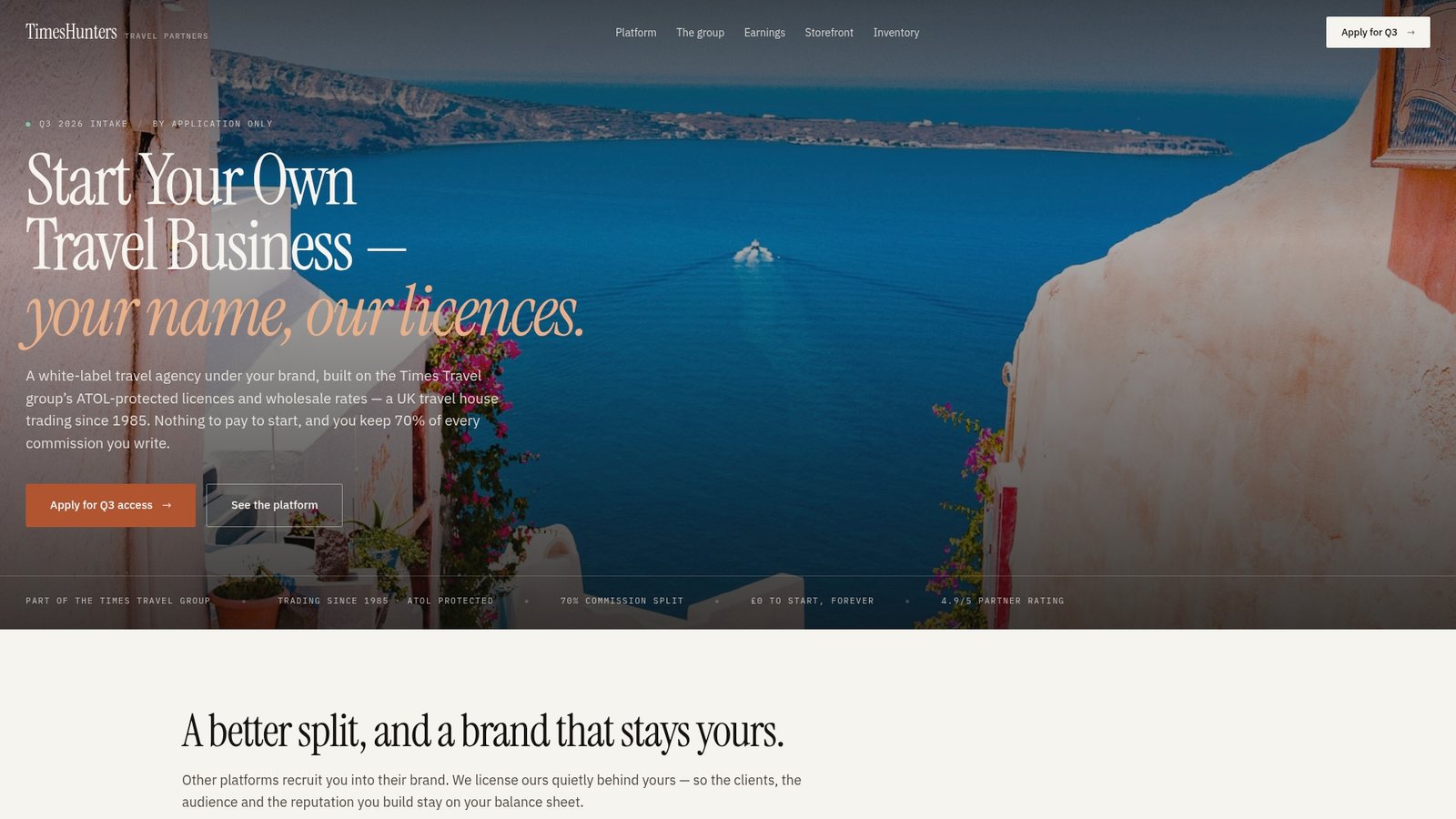
That matters most for aspiring travel entrepreneurs, freelancers, and small hospitality owners who want the confirmation and follow-up automation this article describes, without the months of setup and testing it usually takes. If chasing confirmations manually is eating into time you’d rather spend on clients, take a look at Timeshunters’ platform and see whether the managed route fits your business better than building one yourself.
Sources
For hands-on setup detail, see ServiceM8’s automation documentation, NOBEDS’ confirmation guide, and Wild Foodz’s hotel check-in workflow guide for staff readiness.
- ServiceM8 — Booking confirmation automation
- Zapier — AI booking confirmation automation
- NOBEDS — Automated booking confirmation
- Rezdy — Automated booking confirmations & communications
FAQ
What Channels Should Booking Confirmations Use?
Email and SMS cover most guests, but adding WhatsApp or chat improves response rates for younger or international travellers who rarely check email quickly.
Does Booking Confirmation Automation Replace Staff Communication?
No. Guest-facing messages need a parallel internal update to calendars and staff notifications, otherwise teams still miss arrivals or changes.
How Long Should I Test Automation Before Trusting It?
Give the system a test window of several weeks to a few months before rolling it out across every booking channel, watching delivery rates, no-show rates, and support contact volume.
What’s the Biggest Setup Mistake to Avoid?
Combining several disconnected tools instead of one integrated flow, which multiplies the points where a sync error or forgotten follow-up can happen.
Can a Managed Platform Handle This Instead of Building It Myself?
Yes. Timeshunters bundles automated booking management with wholesale rates and branded booking sites, so partners get the automation without building it from scratch.